
What the heck even is Neovim?
I found about about Vim and Neovim through the Primeagen Youtube channel. Vim itself is an old text editor, and it works on the concept of buffers and various shortcuts called “motions”.
I was intrigued as I saw Primeagen doing some really cool stuff with it, using sequences of motions to do complicated edits on files which would normally require the use of a mouse and/or some scripting.
I ended up doing some research and came across Neovim, which is basically Vim with bells and whistles. Some nerds have figured out how to make Neovim into a fully fledged IDE through the use of various plugins, so I figured I’d give it a shot.
My Neovim Setup
The first time I dabbled with setting up Neovim as an IDE, I did it by using Lazy which is a lazy loading neovim plugin maanager, and then setting up tonnes of different plugins to get code completion, syntax higlighting, file navigation and so on. And that was great, but I’d done all that on my old Linux machine. The problem is, I game as well and so kinda need to use Windows, and I really couldn’t be arsed setting up a dual boot (although I have done that before, but that’s a different story). So, I ended up going back to windows and not using Neovim anymore.
This time round, WSL is a thing (or maybe it was a thing before but I just didn’t know)… in any case, I can now run an Ubuntu terminal from within Windows, and I’ve been toying with the idea of creating a blog for a while now, so figured I might as well combine setting up the blog with also setting up Neovim again and using Neovim as my blog editor/IDE. What could go wrong? Lol
Fortunately, I’ve came across this Nvim Kickstart which basically does a lot of the donkey work I did last time automatically with a 1 liner, nice!
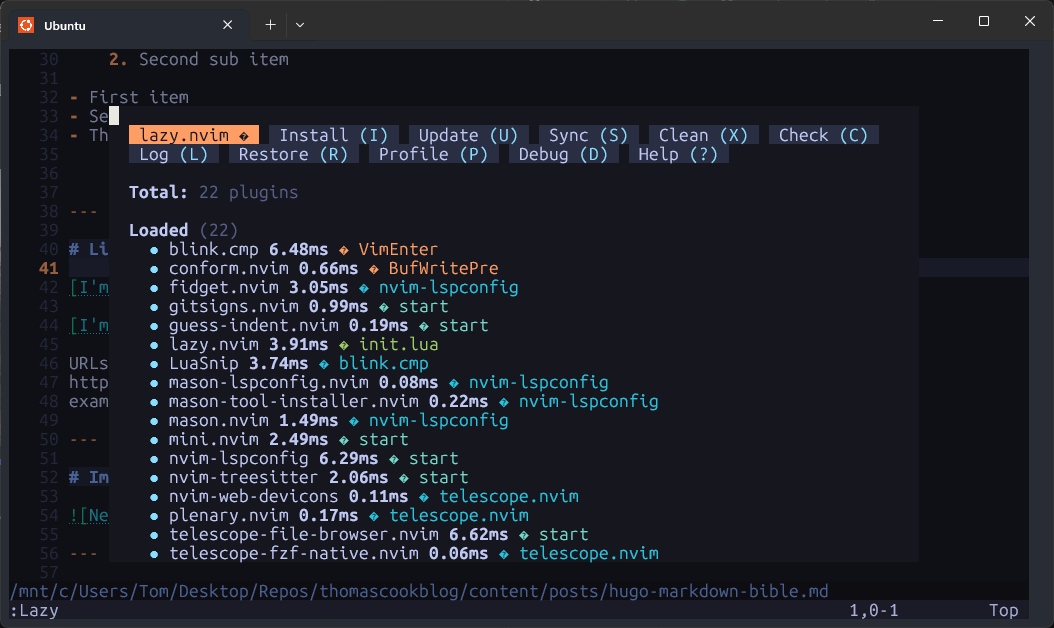
So I did that and, after fettling some dependency issues, I now have Neovim setup with some nice plugins managed by Lazy:
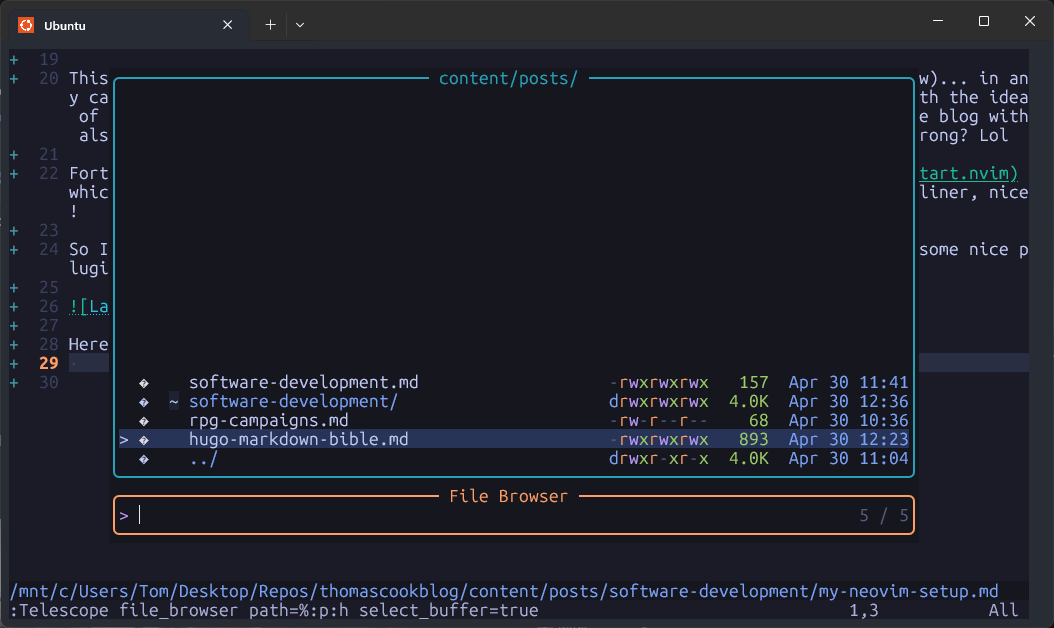
Here’s the file browser, which you access by typing leader > fb (for file browser):
Another cool thing about Neovim I really like is that it has context sensitive keyboard shortcuts for literally everything! If you become proficient with it, you will never need to use a mouse again. Furthermore, Vim is installed on pretty much every Linux in the entire world, so with Vim skills, you will be able to interact with the file system and edit files like a wizard remotely without needing a GUI which I think is really neat as well, very 80’s cyber hacker!